
Daman Game is an online gaming platform where users can play and earn real money. Many users enjoy the experience of predicting colours and numbers in games like TRX, K3, WinGo, and 5D Lottery. Once users start winning, the next important step is to withdraw the earnings. For that, users need to add their bank account to the Daman Game account.
This guide will explain how to add a bank account to your Daman Game profile in a clear and step-by-step manner. If you are new to the process, do not worry. This blog will walk you through everything.
Here is a simple way to add your bank account details to your Daman Game account:
Step 1: Open the Daman Game App
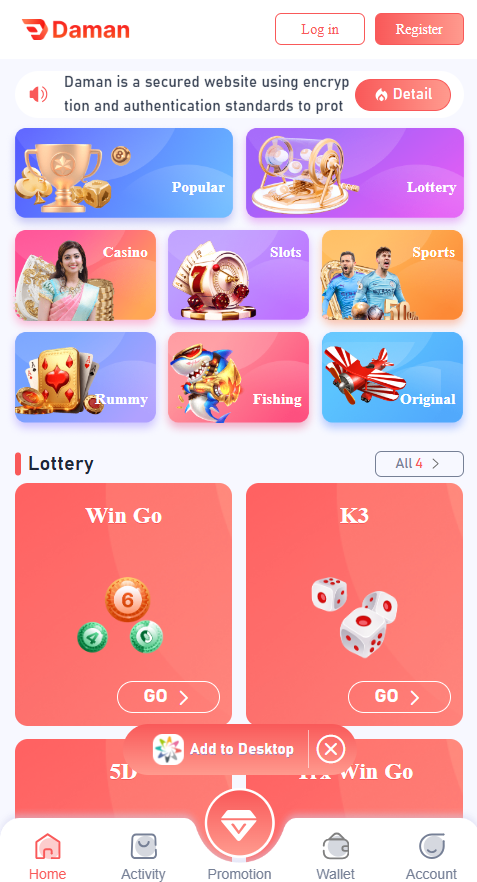
First, open the Daman Game platform on your mobile device or browser. Now, log in to your Daman game account using your credentials.
Step 2: Go to the ‘Wallet’ Section
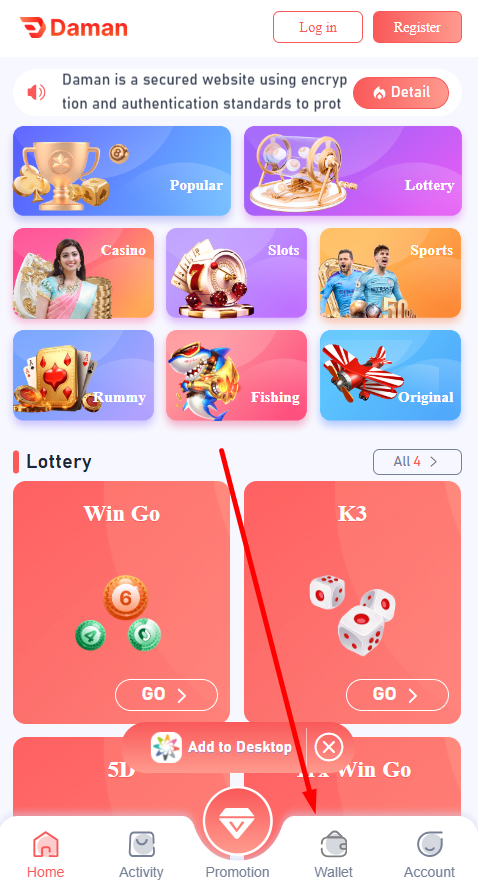
On the home screen, click on the “Wallet” section.
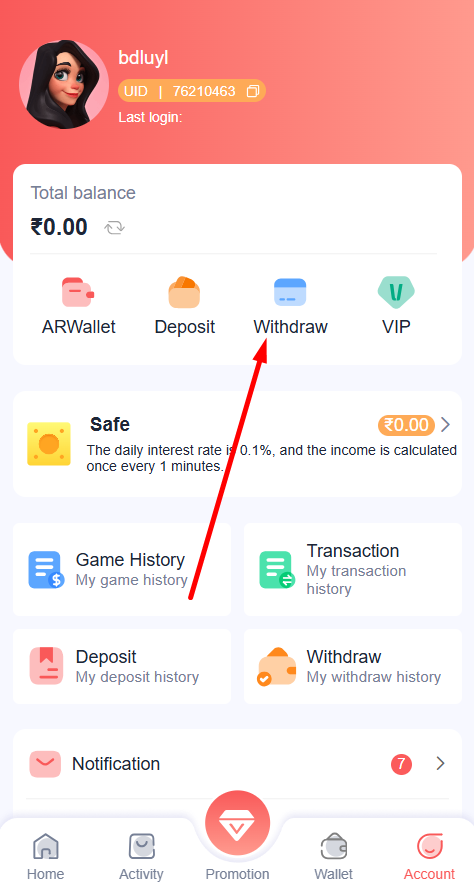
Step 3: Choose “Withdrawal” Section
From the transaction options appearing on the screen, click on the withdraw option.
Step 4: Select the ‘Add Bank’ Option
Now, click on the “Add bank” option. A form will open asking for basic details of your bank account.
Step 5: Select the ‘Add Bank’ Option
You will now see a form where you need to enter your bank details. Fill in the following fields:
Step 6: Check All The Information Before Final Submission
Cross-check all the bank information you have entered. Ensure there is no typing errors or spelling errors in the information.
Step 7: Submit The Information
Once all the fields are correctly filled, press the Submit button. Your bank account will now be linked to your Daman Game account.
In case you have already added your bank account and you wish to now modify it, you can either add a new bank account or modify the details of the existing one. The steps to add a new bank account are mentioned above. Check out the steps to modify the bank account.
Adding a bank account is a simple process, but here are some important points you should remember:
Here are some useful tips to follow when adding your bank account:
You need to add a bank account to the Daman app to withdraw money from your account. The platform allows you to transfer money to the added bank account only. To add a bank account, the process is simple. Enter all your required information, and you are good to go. Above, we have listed all the steps that you need to follow to add your bank account to the app. Make sure you go through each step properly to avoid any issues.
In case you encounter any issues, you can reach out to the support team, and the team will assist you.
We recommend you use your bank account and not anyone else’s since all the money will be transferred to that bank account.
To change your bank account, you can either add your new account or edit the existing bank details.
In most cases, it gets linked within a few minutes.
Yes, it is completely safe to add your bank account; however, make sure not to discuss the same with anyone else
Yes, you can add multiple bank accounts; however, every time you will have to select the bank account you wish to add money to.
 Login
Login
 Download
 Login
Login
 Download